Add a favorite sensor
Background#
On the SENS motion app for smartphone and tablet, it is possible to assign a favorite sensor where it will always be possible to see the status of the favorite sensor on the front page of the app.
By assigning a favorite sensor, it is possible to follow the progress of the sensor when data is transferred to the cloud from the sensor.
Select favorite sensor#
To select a favorite sensor, follow these steps in the SENS motion app:
- Press “Advanced”
- Select a sensor
- Press “Set favorite”
- The favorite sensor will now be displayed on the front page of the app and you can keep track of how much data has been transferred.
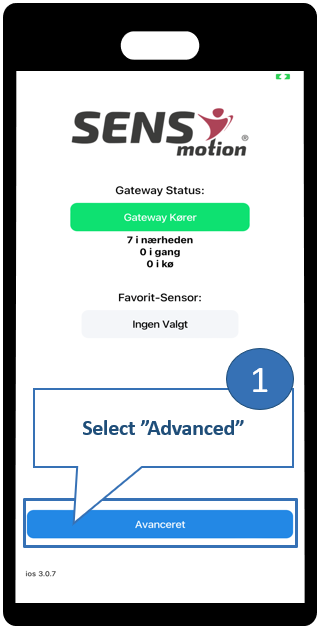
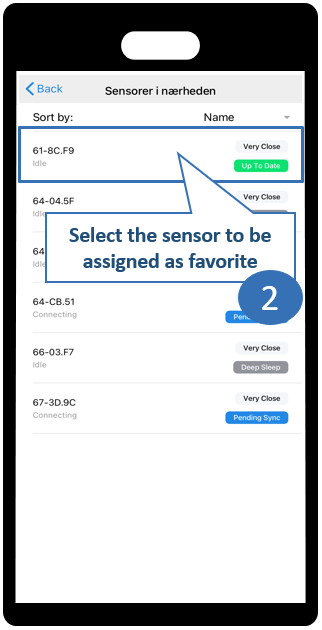
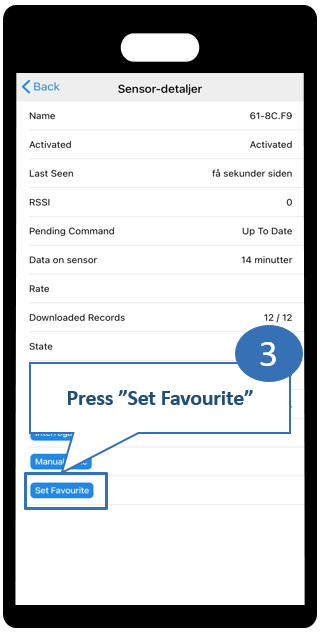
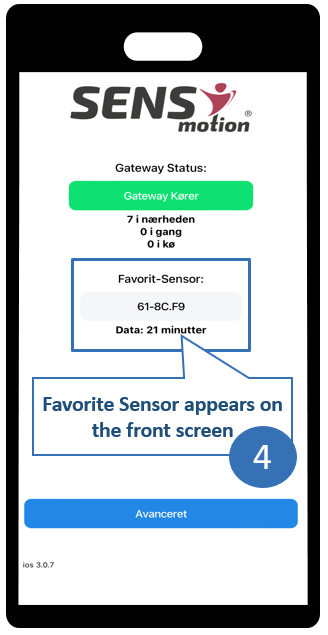
The sensor will now be displayed on the front page of the app and you can keep track of how much data has been transferred.
Using the favorite sensor#
The favorite sensor is displayed on the front page and is used to easily get an overview of how much data is on the sensor and how far in the transmission the sensor is.
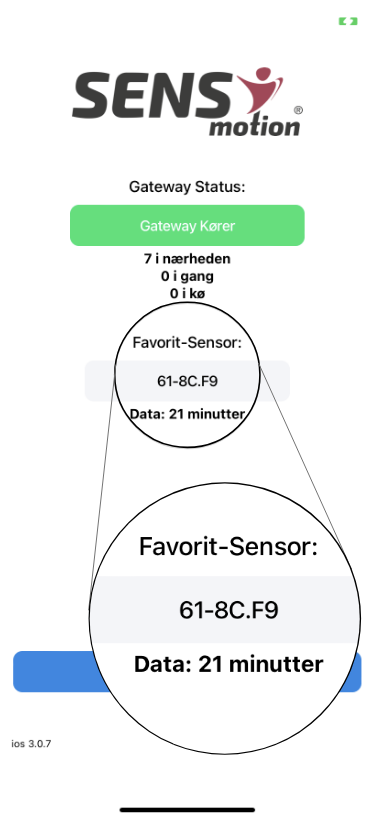
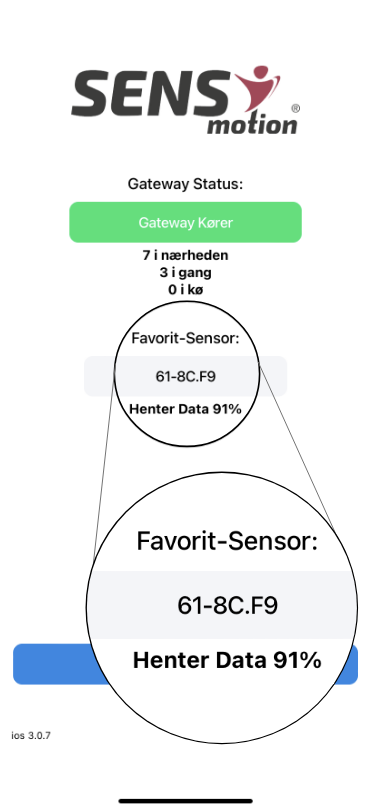
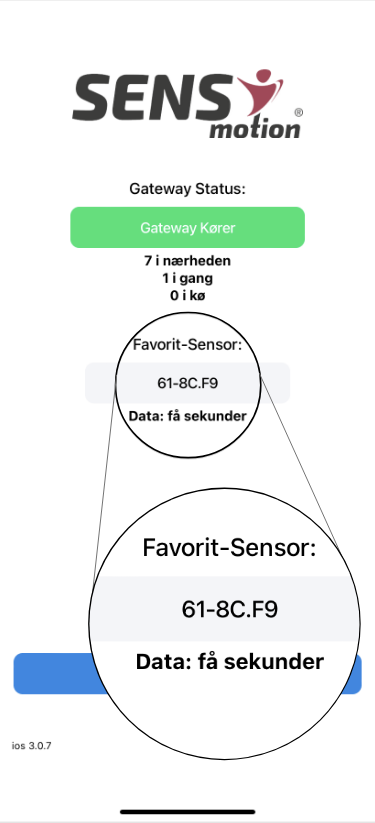
When the app is opened, the favorite sensor will show how much data is on the sensor (Image 1). The app will then start transferring data, showing how far the sensor is in downloading data (Image 2). When the app has finished transferring data, the sensor will be empty and there will only be a few seconds of data on the sensor (Image 3).