Description of accelerometer
Background#
SENS motion measures via a built-in accelerometer with an X, Y and Z axis. From data gathered from many different measurements, SENS has developed an algorithm that classifies the measured physical activity into 9 different activity categories. A description of these activity categories can be found in this article: Description of the activity categories.
How the accelerometer works#
Acceleration is a change in motion, and it is this change that the sensor’s accelerometer detects. It is the constant acceleration of gravity that allows the accelerometer to detect angles.
In the SENS motion accelerometer there are three axes, the X, Y and Z axes. The Z axis is pointing inwards.
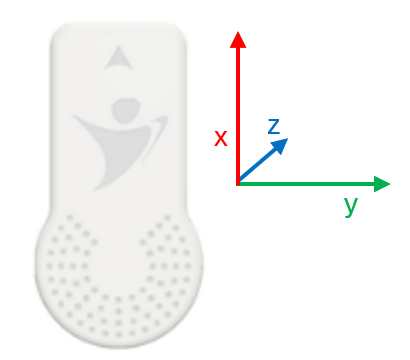
When the sensor is placed on the thigh, the Y-axis will be the change in motion that occurs when we move forward. The Z axis will be the change of motion that occurs if we move to the side and the X axis will be when we put the foot to the ground / lift the foot (along the leg).
When you view the accelerometer data on the SENS exercise webpage, it will be categorized with three colors.
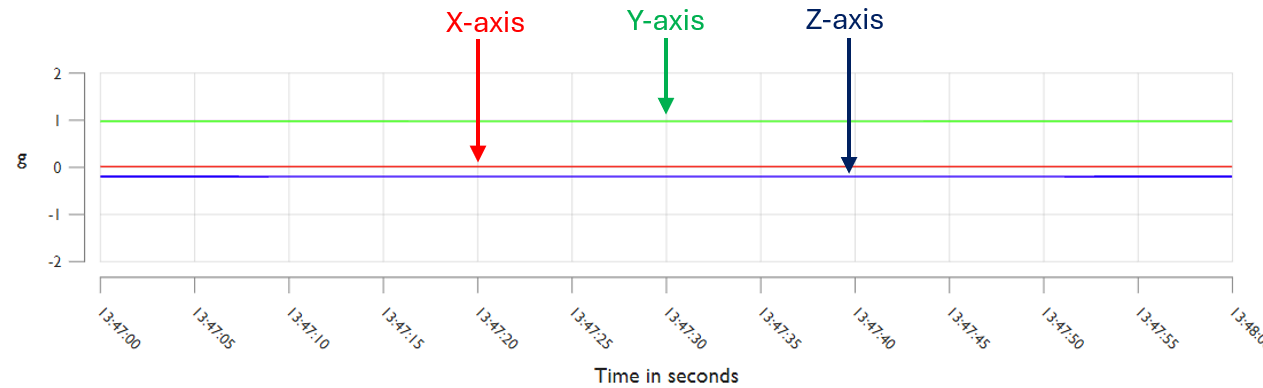
From the accelerometer data it is possible to check whether the patient/participant has been lying, standing or walking.
Lying down#
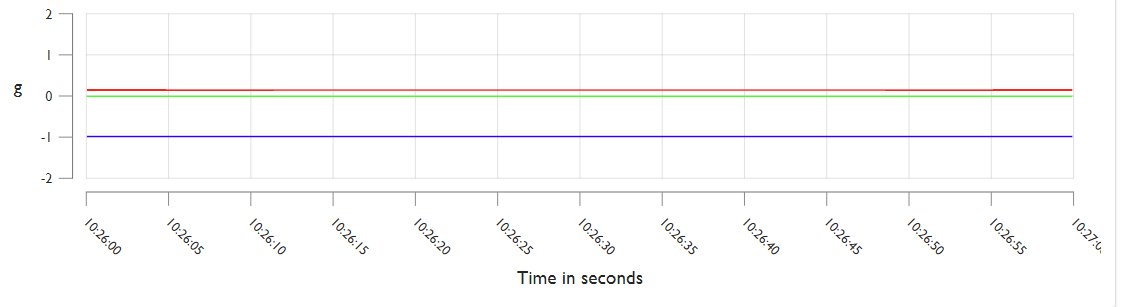
When we lie down, the X-axis will be around 0. Depending on which leg the sensor is on, the Z-axis will show whether you are lying on your right or left side, in either -1 or 1, while the Y-axis will show whether you are lying on your back or stomach.
Example of lying on your back:
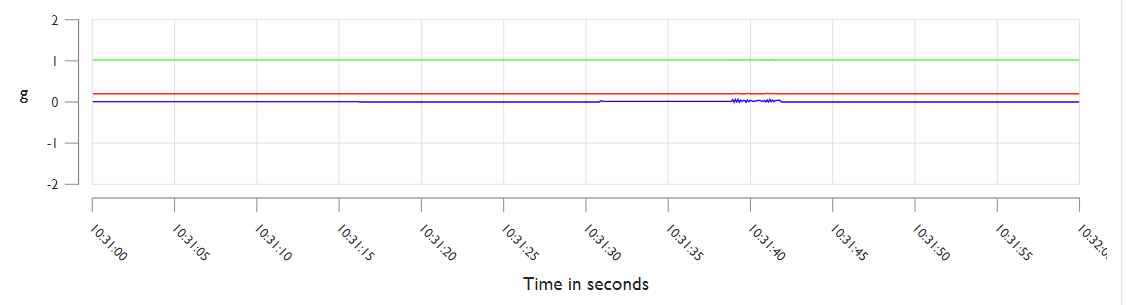
Example of lying on the side:
Standing#
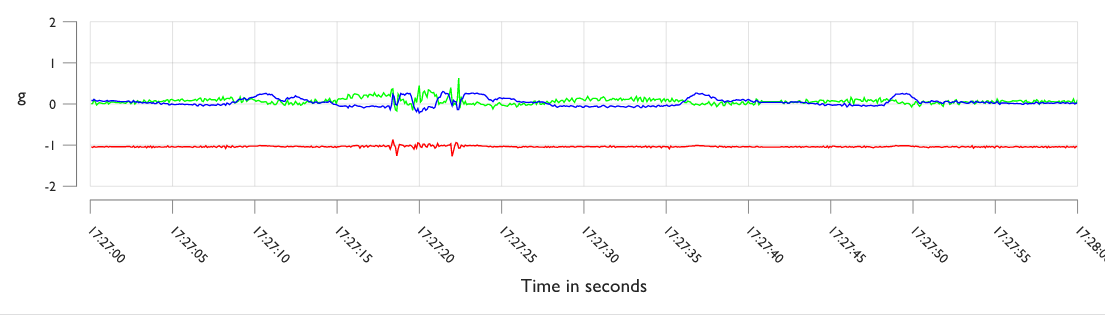
When the three axes are in normal orientation, the force of gravity will pull 1G down. This means that when we stand up, the X-axis will be equal to -1, while the Y-axis and Z-axis will lie in the orthogonal plane with the gravity vector and be about 0.
Example of standing:
Walking#
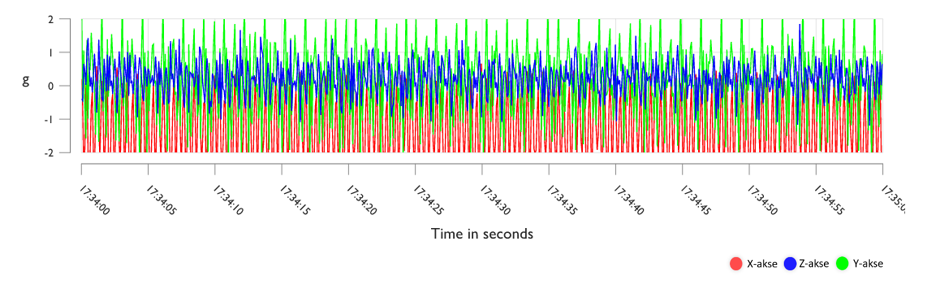
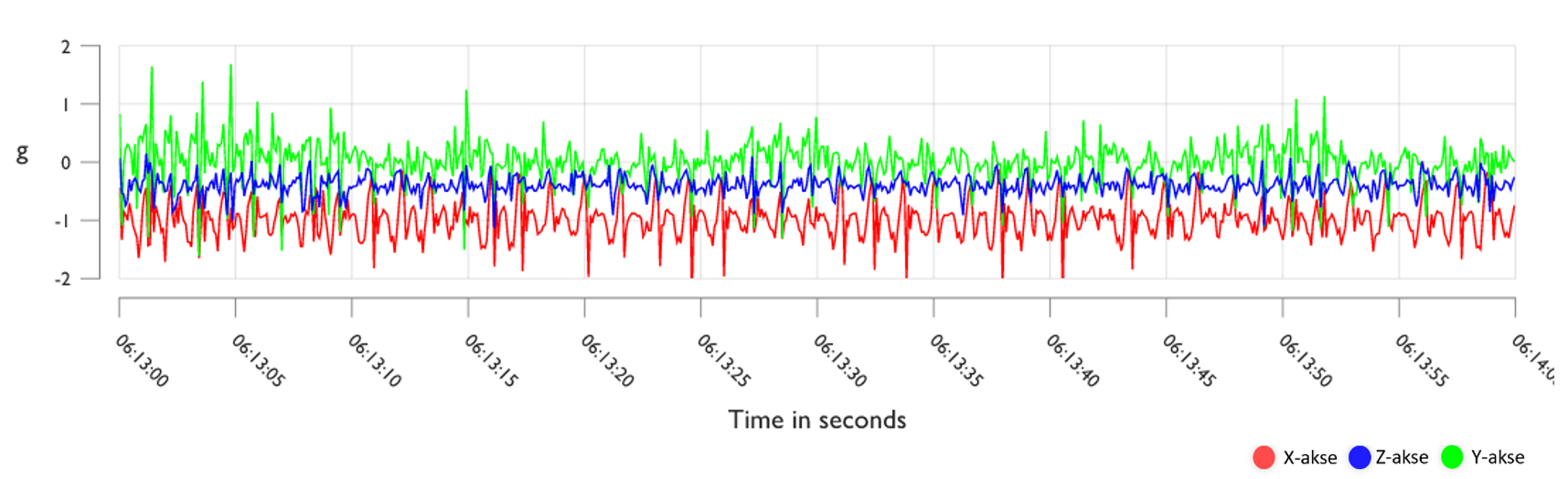
Walking gives a rhythmic pattern where the X-axis will still be around -1 like standing, but there will be larger fluctuations on all three axes which will continuously follow each other.
Working out#
High intensity training/running will also have fluctuations, just larger ones. The higher the intensity, the greater these fluctuations will be.